🪟 Installing VS Code on Windows via Microsoft Store
🪟 Windows (Microsoft Store)
- 🏪 Open Microsoft Store:
Press Win + S, type Microsoft Store, and press Enter. - 🔍 Search for VS Code:
In the Store search bar, type Visual Studio Code.
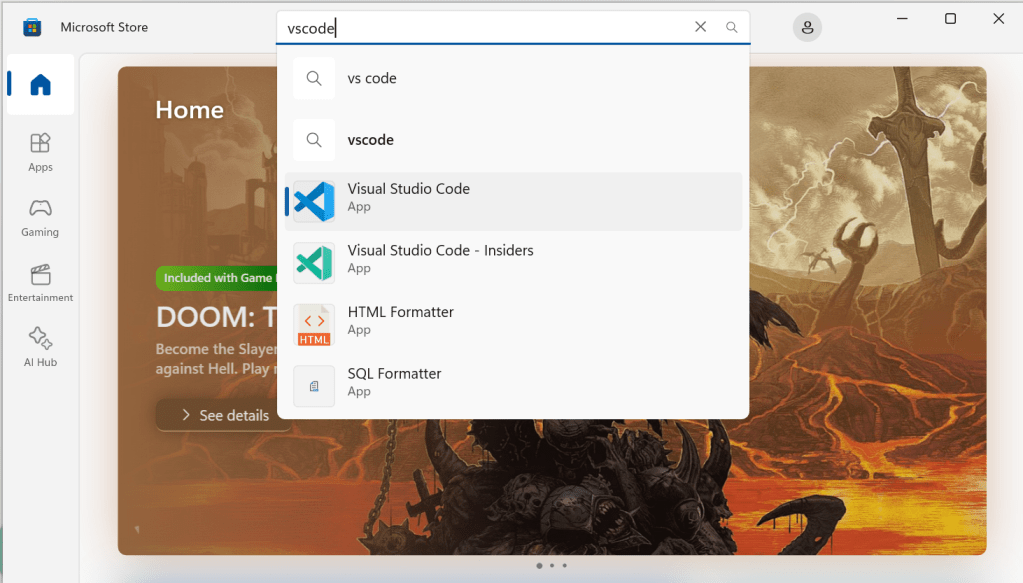
- 📱 Select VS Code:
Click on the official Visual Studio Code app by Microsoft in the search results. - ⬇️ Install VS Code:
Click the Install button.
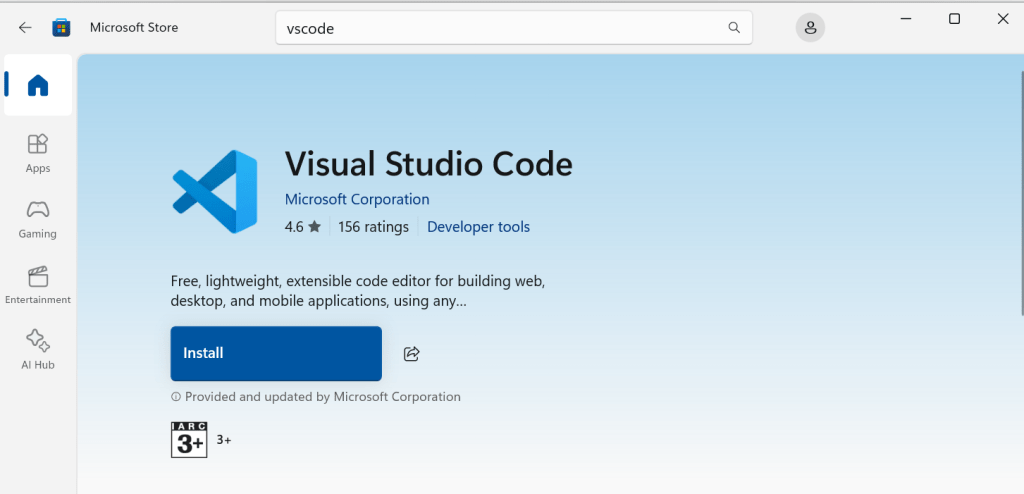
- 🚀 Launch VS Code:
Open it from the Start menu or Microsoft Store once installation completes.
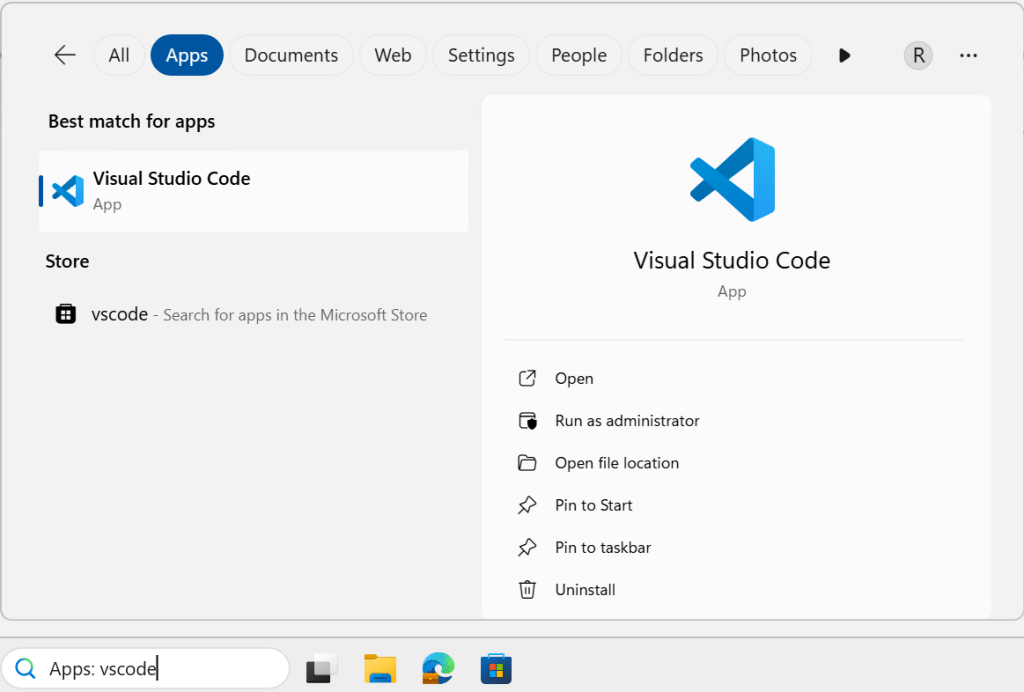
Note: Installing from the Microsoft Store ensures automatic updates and integration with Windows features like Windows Sandbox and Windows Subsystem for Linux (WSL).
🍎 macOS (Apple)
- ⚠️ Note: Visual Studio Code is not available on the Apple App Store.
- 🌐 Download from Official Site:
Visit Visual Studio Code Download and download the macOS version. - 📦 Install VS Code:
Open the downloaded.zipfile and drag Visual Studio Code.app into your Applications folder. - 🚀 Open VS Code:
Launch it from the Applications folder.
🛠️ Optional: Install via Homebrew:
Open Terminal and run: bashCopyEdit
bash
brew install --cask visual-studio-code
Then launch with:
bash
open /Applications/Visual\ Studio\ Code.app
🐧 Unix/Linux
🐙 Install via Snap (if supported):
Open Terminal and run:
bash
sudo snap install --classic code
🌐 Or download the official package:
Visit Visual Studio Code Download, download the .deb (Debian/Ubuntu) or .rpm (Fedora/openSUSE) package.
🛠️ Install the package:
For Debian/Ubuntu (.deb):
bash
sudo dpkg -i code_*.deb
sudo apt-get install -f
For Fedora/openSUSE (.rpm):
bash
sudo rpm -i code-*.rpm
🏛️ Or add Microsoft repo and install (Debian/Ubuntu):
Run these commands:
bash
wget -qO- https://packages.microsoft.com/keys/microsoft.asc | gpg --dearmor > packages.microsoft.gpg
sudo install -o root -g root -m 644 packages.microsoft.gpg /usr/share/keyrings/
sudo sh -c 'echo "deb [arch=amd64 signed-by=/usr/share/keyrings/packages.microsoft.gpg] https://packages.microsoft.com/repos/vscode stable main" > /etc/apt/sources.list.d/vscode.list'
sudo apt update
sudo apt install code performancetestgurus.com
You must be logged in to post a comment.