✅ Step 1: Open Command Prompt or Terminal
- 🪟 Windows:
- Press Win + S, type Command Prompt, and pressEnter
- Or type cmd in the Start menu and hit Enter
- 🍎 macOS:
- Open Launchpad
- Type Terminal and press Enter
- 🐧 Linux/Ubuntu:
- Press Ctrl + Alt + T or search for Terminal in your app menu
✅ Step 2: Install Behave
Run the following in your terminal:
pip install behave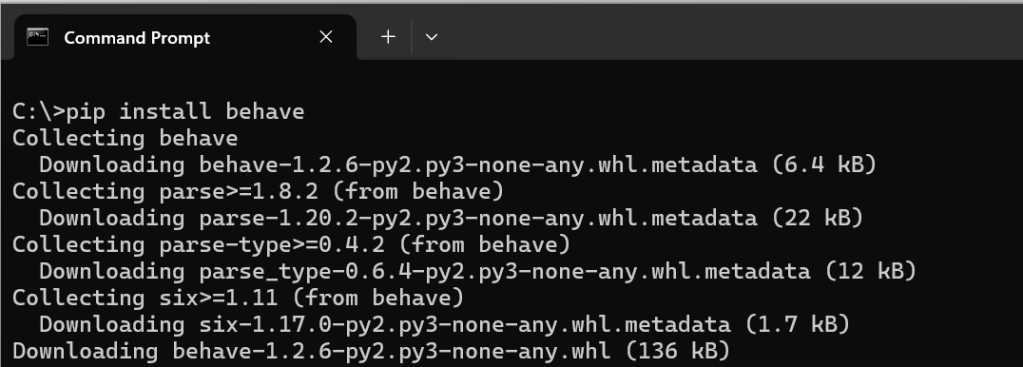
Or use pip3 if your system uses that:
pip3 install behaveThis will:
- Install Behave
- Automatically pull in any dependencies (like
parse,six, etc.)
✅ Step 3: Confirm It’s Installed
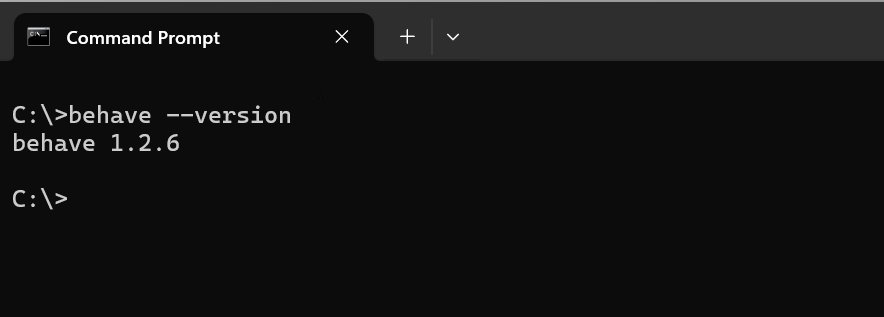
After installation, run:
behave --versionYou should see something like: behave 1.2.6
✅ That means it's working!
 performancetestgurus.com
You must be logged in to post a comment.